
Overview Table
| Aspect | Windows 11 Emergency Update |
|---|---|
| Update Type | Critical corrective release |
| Release Timing | Outside normal update schedule |
| Primary Purpose | Fix urgent security or stability issues |
| Deployment Method | Windows Update, manual installation |
| Target Audience | Home users, enterprises, IT administrators |
| Risk Level Addressed | High to critical |
| System Impact | Security, performance, reliability |
| Update Size | Usually small to moderate |
| User Interaction | Minimal but sometimes required |
| Long-Term Role | System protection and continuity |
Introduction to Emergency Updates in the Windows Ecosystem
Microsoft Windows 11 is one of the most widely deployed operating systems in the world, powering personal computers, enterprise workstations, government systems, and critical infrastructure endpoints. Because of this vast footprint, even minor software issues can have widespread consequences. To address urgent problems that cannot wait for regular monthly patch cycles, Microsoft Windows 11 releases what are commonly referred to as emergency updates.
A Microsoft Windows 11 emergency update is designed to resolve critical issues that pose immediate risks to system security, stability, or usability. These updates are not routine enhancements or feature rollouts. Instead, they are corrective actions deployed quickly to mitigate vulnerabilities, fix system-breaking bugs, or restore functionality disrupted by previous updates.
This article provides a deep, structured examination of Microsoft Windows 11 emergency updates. It explains why they are issued, how they differ from standard updates, what types of problems they address, how they affect users and organizations, and how individuals and IT administrators should approach them.
Understanding the Role of Emergency Updates
What Defines an Emergency Update
An Microsoft Windows 11 update is characterized by urgency and necessity. It is released when delaying a fix would expose users to unacceptable risk or operational disruption. These updates often address zero-day vulnerabilities, widespread system crashes, boot failures, or compatibility issues affecting essential services.
Unlike optional updates, emergency updates are considered essential for maintaining system integrity. They are typically cumulative in nature, meaning they may include fixes beyond the immediate issue if relevant to stability.
Why Emergency Updates Exist
Software development at the scale of Windows inevitably involves complexity. Even with extensive testing, certain issues only emerge after deployment across millions of diverse hardware and software configurations. Emergency updates exist as a safety mechanism, allowing Microsoft Windows 11 to respond quickly when such issues arise.
They also reflect the evolving threat landscape. New security exploits can appear unexpectedly, requiring immediate remediation to protect users and organizations.
Windows 11 Update Architecture and Emergency Releases
Windows Update Infrastructure
Microsoft Windows 11 relies on a centralized update infrastructure that distributes patches, drivers, and feature updates. This system allows Microsoft Windows 11 to push updates globally while adapting delivery based on device compatibility and readiness.
Emergency updates leverage the same infrastructure but are flagged as critical, ensuring they reach affected devices quickly.
Out-of-Band Updates Explained
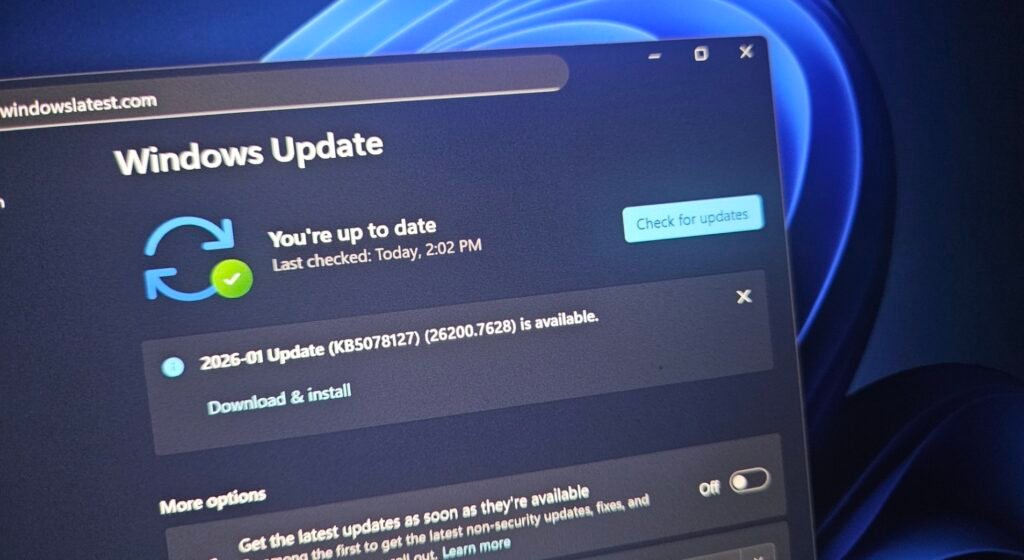
Microsoft Windows 11 Emergency updates are often released as out-of-band updates, meaning they occur outside the regular monthly update schedule. These updates bypass the standard cadence to address time-sensitive issues.
Out-of-band releases may later be incorporated into future cumulative updates, ensuring long-term consistency across systems.
Common Triggers for Windows 11 Emergency Updates
Critical Security Vulnerabilities
One of the most common reasons for an Microsoft Windows 11 emergency update is the discovery of a critical security vulnerability. These vulnerabilities may allow unauthorized access, data leakage, or remote code execution.
When such risks are identified, rapid patching is essential to minimize exploitation.
System Stability Failures
Microsoft Windows 11 Emergency updates are also issued when a widespread stability issue affects users. Examples include systems failing to boot, frequent blue screen errors, or essential services crashing repeatedly.
Such issues can severely impact productivity and user trust, necessitating immediate corrective action.
Update Regression Issues
Occasionally, a regular update introduces unintended side effects. If these side effects significantly disrupt system functionality, Microsoft Windows 11 may issue an emergency update to reverse or mitigate the problem.
This demonstrates the importance of responsiveness in large-scale software maintenance.
Compatibility Breakdowns
Compatibility issues with critical drivers, hardware components, or enterprise software can also trigger emergency updates. When these issues affect a large number of users or essential workflows, rapid resolution becomes necessary.
Security Implications of Windows 11 Emergency Updates
Threat Mitigation and Risk Reduction
Microsoft Windows 11 Emergency updates play a crucial role in reducing exposure to active threats. By closing vulnerabilities quickly, they limit the window of opportunity for attackers.
This is especially important in environments where sensitive data or critical operations are involved.
Zero-Day Vulnerabilities
Zero-day vulnerabilities are security flaws that are exploited before a fix is available. When Microsoft Windows 11 becomes aware of such vulnerabilities, emergency updates are often the fastest way to protect users.
These updates may be accompanied by temporary mitigations until a full fix is deployed.
Enterprise Security Posture
For organizations, applying emergency updates promptly is a key component of maintaining a strong security posture. Delayed patching can lead to compliance violations, data breaches, and operational risk.
Impact on System Performance and Reliability
Performance Considerations
Microsoft Windows 11 Emergency updates are generally optimized to address specific issues without introducing new performance overhead. However, any system modification carries some level of risk.
Microsoft Windows 11 typically prioritizes stability over feature enhancement in these updates.
Reliability Improvements
By resolving crashes, freezes, or boot issues, emergency updates often improve overall system reliability. Users may notice fewer interruptions and more consistent system behavior after installation.
Short-Term Disruptions
In rare cases, applying an Microsoft Windows 11 emergency update may require a system restart or temporarily disrupt certain workflows. These inconveniences are usually outweighed by the benefits of resolving critical issues.
User Experience and Update Delivery
Automatic vs Manual Installation
Most Microsoft Windows 11 emergency updates are delivered automatically through Windows Update. This ensures rapid deployment without requiring user intervention.
In some cases, users or administrators may need to manually install an update, particularly in controlled environments.
Notifications and Transparency
Microsoft Windows 11 typically communicates the purpose of an emergency update through update notes and system notifications. While details may be technical, they help users understand why the update is necessary.
Clear communication is essential for maintaining trust and encouraging timely adoption.
Enterprise and IT Administration Perspective
Patch Management Strategies
In enterprise environments, Microsoft Windows 11 emergency updates require careful coordination. IT teams must balance the urgency of applying fixes with the need to test updates in controlled environments.
Well-defined patch management strategies help organizations respond effectively to emergency releases.
Deployment Tools and Controls
Windows 11 supports various deployment tools that allow administrators to manage update rollout. These tools enable staged deployment, minimizing disruption while ensuring critical fixes are applied.
Emergency updates may be fast-tracked through these systems due to their importance.
Risk Assessment and Decision-Making
IT administrators must assess the risk of applying an emergency update versus delaying it. In most cases, the risks of not applying the update outweigh potential deployment concerns.
Compatibility and Hardware Considerations
Device-Specific Impact
Emergency updates may target specific hardware configurations or system components. Microsoft often limits deployment to affected devices to reduce unnecessary changes.
This targeted approach helps minimize unintended consequences.
Driver and Firmware Interactions
Some emergency updates interact closely with drivers or firmware. Ensuring compatibility across diverse hardware ecosystems is a complex challenge that Microsoft addresses through testing and telemetry analysis.
Troubleshooting and Recovery
Installation Issues
While rare, installation issues can occur during emergency updates. Windows 11 includes built-in recovery mechanisms to handle failed updates and restore system functionality.
Users are encouraged to follow recommended troubleshooting steps if problems arise.
Rollback and Recovery Options
In cases where an emergency update causes unexpected issues, rollback options may be available. These allow users or administrators to revert to a previous system state while awaiting further guidance.
Long-Term Implications for Windows 11
Continuous Improvement Model
Emergency updates reinforce Windows 11’s continuous improvement model. Rather than waiting for major releases, Microsoft actively maintains the operating system through incremental fixes.
This approach enhances long-term stability and security.
User Trust and Platform Reliability
Prompt response to critical issues helps maintain user trust. Emergency updates demonstrate Microsoft’s commitment to addressing problems quickly and responsibly.
Over time, this contributes to a more resilient and dependable platform.
Best Practices for Users
Keeping Systems Updated
Users should ensure that automatic updates are enabled to receive emergency updates promptly. This reduces exposure to security risks and stability issues.
Monitoring Update Notifications
Paying attention to update notifications and system messages helps users stay informed about critical changes.
Backups and Preparedness
Maintaining regular backups is a best practice that complements any update strategy. This ensures data protection in the unlikely event of update-related issues.
Best Practices for Organizations
Establishing Update Policies
Organizations should define clear policies for handling emergency updates. These policies should prioritize security while allowing for controlled testing.
Communication and Training
Informing users about the importance of emergency updates helps reduce resistance and confusion. Training IT staff to handle urgent patches efficiently is equally important.
The Broader Context of Software Emergency Updates
Industry-Wide Practices
Emergency updates are not unique to Windows. They reflect a broader industry practice of rapid response to critical issues in complex software systems.
Understanding this context helps users appreciate the necessity of such updates.
Evolving Threat Landscape
As threats become more sophisticated, the need for timely updates increases. Emergency updates are a key tool in adapting to this evolving environment.
Final Thoughts
A Microsoft Windows 11 emergency update is a vital mechanism for protecting users and organizations from immediate risks. While these updates may arrive unexpectedly, their purpose is rooted in safeguarding system security, stability, and usability.
By understanding why emergency updates are released and how they function, users and IT administrators can approach them with confidence rather than concern. Prompt installation, informed decision-making, and proactive system management ensure that Windows 11 remains a reliable and secure platform in an ever-changing digital landscape.
Emergency updates are not disruptions but essential interventions. They represent the ongoing responsibility of maintaining a modern operating system that millions depend on every day.
