

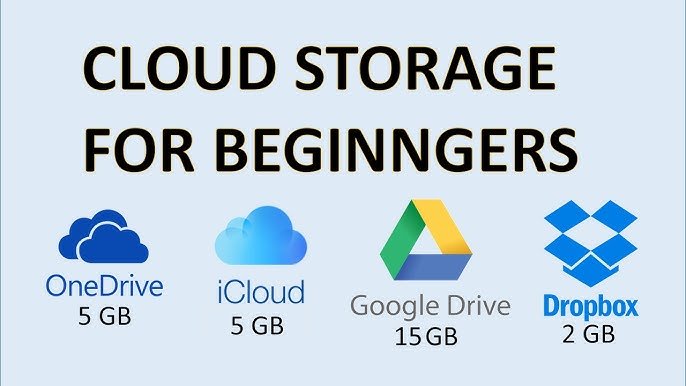
Overview Table: Google Drive vs iCloud vs OneDrive
| Aspect | Google Drive | iCloud | OneDrive |
|---|---|---|---|
| Primary Ecosystem | Google services | Apple ecosystem | Microsoft ecosystem |
| Core Purpose | File storage and collaboration | Device backup and sync | Productivity and file management |
| Integration Level | Web and Android focused | Deep Apple integration | Strong Windows and Office integration |
| Sync Model | File-based with collaboration | Device and app-centric | File-based with enterprise support |
| Offline Access | Supported | Limited by app | Supported |
| Security Approach | Account-based encryption | Device and account-based | Enterprise-grade controls |
| Target Users | Individuals and teams | Apple users | Individuals and businesses |
| Collaboration Strength | Very strong | Limited | Strong with Office apps |
Introduction to Cloud Storage
Cloud storage has become an essential part of modern digital life. From saving photos and videos to collaborating on documents and backing up entire devices, cloud storage allows users to access their data from anywhere with an internet connection. Services such as Google Drive, iCloud, and OneDrive are deeply integrated into everyday workflows, making storage feel seamless and almost invisible.
This article provides a detailed, beginner-friendly yet in-depth explanation of how cloud storage functions, with a focus on Google Drive, iCloud, and OneDrive. It explains core concepts, internal processes, synchronization logic, security models, and real-world usage without relying on external sources.
For many users, cloud storage appears simple on the surface: upload a file and retrieve it later. Behind this simplicity lies a complex system of distributed servers, data synchronization mechanisms, security protocols, and intelligent software designed to ensure availability, reliability, and performance. Understanding how cloud storage works helps users make better decisions about privacy, organization, and long-term data management.
Cloud storage has become an integral part of how people store, access, and manage digital information in everyday life. From photos and videos to documents and app data, cloud storage allows users to keep their files safe while making them available across multiple devices. Services like Google Drive, iCloud, and OneDrive operate quietly in the background, synchronizing data and creating the impression that files simply exist everywhere at once.
What Is Cloud Storage in Simple Terms
Basic Definition
Cloud storage is a service that allows users to store digital data on remote servers instead of local devices. These servers are managed by service providers and are accessible through the internet. Users can upload, download, edit, and share files without needing physical storage hardware.
How Cloud Storage Differs from Local Storage
Local storage exists on devices such as hard drives and solid-state drives. Cloud storage, by contrast, exists on provider-managed infrastructure. The key difference is accessibility and redundancy. Cloud storage allows access from multiple devices and includes built-in backups.Services like Google Drive, iCloud, and OneDrive operate quietly in the background, synchronizing data and creating the impression that files simply exist everywhere at once
Why Cloud Storage Became Popular
Cloud storage gained popularity due to increasing data volumes, multiple device usage, and the need for easy sharing. It removes the burden of managing physical storage and reduces the risk of data loss from device failure.
Core Components of Cloud Storage Systems
Data Centers and Servers
Cloud storage providers operate large data centers filled with servers. These servers store user data in distributed systems, meaning files are often split and stored across multiple machines to improve reliability.
Virtualization and Abstraction
Users do not interact with physical servers directly. Instead, software layers abstract storage into simple folders and files, hiding complexity while enabling scalability.
Networking Infrastructure
High-speed networking connects data centers globally. This allows users to access files quickly regardless of location and ensures redundancy in case of outages.
How Files Are Stored in the Cloud
Upload Process Explained
When a file is uploaded, it is broken into smaller pieces called chunks. These chunks are transmitted securely and stored across multiple servers. Metadata is created to track file ownership, location, and version history.
Redundancy and Replication
To prevent data loss, cloud providers replicate file chunks across multiple storage nodes. If one server fails, another copy is available, ensuring durability.
File Reconstruction
When a user accesses a file, the system retrieves the necessary chunks and reconstructs the file in real time, delivering it as a seamless download or stream.
Synchronization: Keeping Files Updated Everywhere
What Is Sync
Synchronization ensures that changes made to a file on one device are reflected on all connected devices. Sync operates continuously or at scheduled intervals depending on user settings.
Conflict Resolution
When the same file is edited on multiple devices, cloud systems use timestamps and version control to resolve conflicts. Some services create multiple versions to avoid overwriting data.
Selective Sync and Storage Optimization
Users can choose which folders sync to specific devices. This reduces local storage usage while maintaining cloud access.
Google Drive: How It Works Internally
Google Drive Storage Model
Google Drive uses a file-based storage model optimized for collaboration. Files are stored in the cloud and accessed through web interfaces, mobile apps, or desktop sync clients.
Real-Time Collaboration
Google Drive allows multiple users to work on the same document simultaneously. Changes are tracked at a granular level and merged in real time.
Version History and Recovery
Every change is logged, allowing users to revert to previous versions. This protects against accidental deletions or unwanted edits.
Offline Access
Users can mark files for offline access. These files are cached locally and synced when the device reconnects to the internet.
iCloud: How It Works Internally
iCloud Storage Philosophy
iCloud focuses on device continuity rather than traditional file management. It is designed to keep Apple devices synchronized rather than acting as a general-purpose file system.
Device Backup and Sync
iCloud backs up device settings, app data, photos, and messages automatically. This allows seamless device restoration.
App-Centric Data Storage
Many apps store data directly in iCloud, abstracting file management from users. This simplifies usage but reduces manual control.
Storage Optimization
iCloud dynamically manages local storage by keeping full-resolution files in the cloud and lightweight versions on devices.
OneDrive: How It Works Internally
OneDrive Storage Model
OneDrive uses a file-based system integrated with productivity tools. It is designed to support both personal users and enterprise environments.
Integration with Office Applications
OneDrive enables real-time collaboration within productivity apps. Files saved in OneDrive are automatically accessible across devices.
Business and Enterprise Controls
OneDrive includes advanced permission management, auditing, and compliance features for organizational use.
Offline and On-Demand Files
OneDrive allows users to access cloud files without downloading them fully, saving local storage space.
Security in Cloud Storage
Data Encryption
Cloud storage providers encrypt data during transmission and while stored. This protects files from unauthorized access during transfer and storage.
Authentication and Access Control
User accounts control access through passwords, multi-factor authentication, and device verification.
Privacy Considerations
While providers secure infrastructure, users remain responsible for managing sharing permissions and account security.
Data Availability and Reliability
Uptime and Redundancy
Cloud storage systems are designed for high availability. Redundant infrastructure minimizes downtime and ensures continuous access.
Disaster Recovery
Data is stored across geographically separated locations. This protects against natural disasters and large-scale failures.
Sharing and Collaboration Features
File Sharing Mechanisms
Users can share files or folders using links or direct invitations. Permissions control viewing, editing, or commenting rights.
Collaboration Workflows
Cloud storage enables collaborative workflows by centralizing files and tracking changes.
Storage Limits and Management
Storage Quotas
Cloud services allocate storage limits based on plans. Efficient file management helps stay within limits.
Storage Optimization Techniques
Deleting duplicates, archiving old files, and using selective sync improve storage efficiency.
Performance and Speed Factors
Network Dependency
Cloud storage performance depends on internet speed and latency. Faster connections improve upload and download times.
Caching and Content Delivery
Providers use caching and optimized delivery paths to improve performance.
Cloud Storage vs Traditional Storage
Flexibility and Accessibility
Cloud storage offers unmatched accessibility compared to traditional storage.
Cost and Maintenance
Cloud storage reduces hardware maintenance but involves recurring costs.
Common Misconceptions About Cloud Storage
Cloud Storage Is Not Infinite
Storage limits still apply, and efficient management is necessary.
Cloud Storage Is Not Automatic Backup for Everything
Users must understand what is synced versus what is backed up.
Choosing the Right Cloud Storage Service
Personal Use
Google Drive suits collaborative users. iCloud suits Apple users. OneDrive suits productivity-focused users.
Professional and Business Use
OneDrive and Google Drive offer stronger collaboration tools for teams.
Future of Cloud Storage
Smarter Synchronization
Future systems will rely more on automation and AI-driven organization.
Increased Privacy Controls
User demand will push for stronger privacy and transparency.
Final Thoughts
Cloud storage works by combining distributed infrastructure, intelligent software, and secure networking to provide seamless data access. Google Drive, iCloud, and OneDrive each implement these principles differently to serve distinct ecosystems and user needs.Cloud storage has evolved from a simple file-saving solution into a foundational part of modern digital life.
Google Drive, iCloud, and OneDrive may differ in design philosophy, ecosystem focus, and feature depth, but they all rely on the same core principles of distributed storage, synchronization, security, and accessibility. Understanding how these systems work removes confusion and allows users to make smarter decisions about where and how their data is stored.Understanding how cloud storage works empowers users to manage data more effectively, choose the right service, and use cloud tools with confidence.
